The simulator supports all instrument modes, including imaging, long-slit and high-resolution integral-field spectroscopy, both on-sky and using the warm calibration unit.
ScopeSIM can be installed via:
pip install scopesim
The instrument packages can be downloaded within a python session with:
scopesim.download_packages(["METIS", "ELT", "Armazones"])
Jupyter notebooks showing how to use ScopeSim and interact with
individual instrumental effects can be found on readthedocs.
First three images
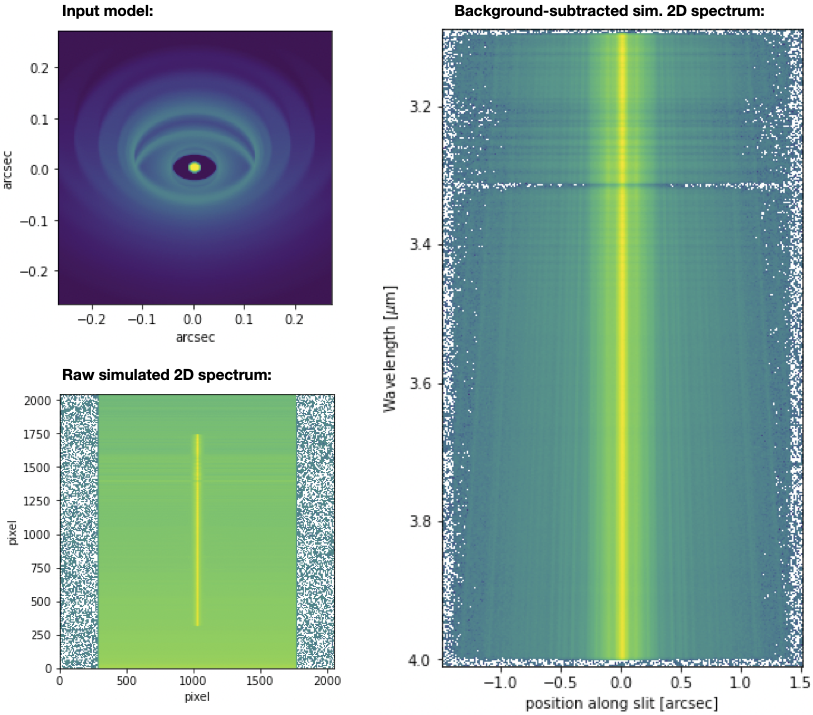
ScopeSIM simulations of the young stellar object HD 100546 (provided by Eric Pantin), as observed for one hour with METIS in the L band long-slit spectroscopy mode. The input image is shown on the top left, the raw simulated 2D spectrum is shown on the bottom left and the background-subtracted 2D spectrum is shown on the right. The slit orientation corresponds to the horizontal direction in the image image. The extended emission can clearly be seen in the 2D spectrum. A PAH feature can be seen at ~3.3 micron, particularly in the extended emission.
Image gallery
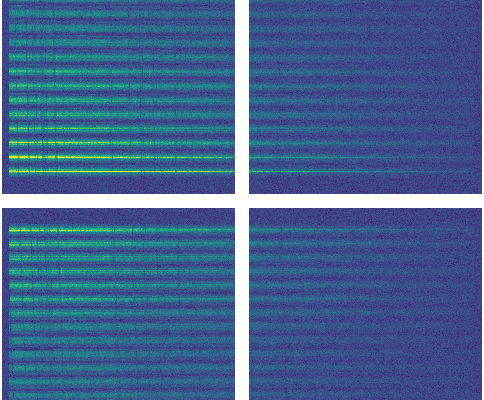
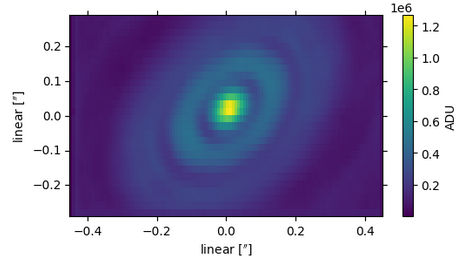
Simulation of a METIS LMS/IFU observation of a protoplanetary disk. Shown are a detector readout and an image reconstruction obtained by integrating over wavelength.